Variables and Templates
Pass structured data from earlier nodes into later node settings.
Template basics
Most configurable nodes have a Variable Name. NexFlow stores a successful node's output under that name. A later connected node reads a value with {{variableName.property.path}}. Names must start with a letter or underscore and contain only letters, numbers, and underscores; every variable name in one workflow must be unique.
{{telegram.message.text}}
{{telegram.message.chat.id}}
{{discord.command.options.message}}
{{aiText.text}}
{{googleForm.data.response.answers.Email}}
{{myApiCall.data.id}}
How data moves
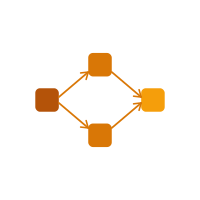
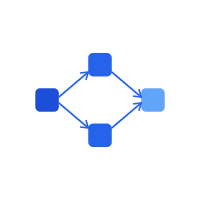
discord){{discord.command.options.message}}aiText){{aiText.text}}Connections define ancestry. When AI Text Generation runs, it can see connected ancestors such as the Discord Trigger. When Discord Reply runs, it can see both the trigger and the connected AI node. A disconnected node or a node in a later branch is not available.
Whole values and interpolation
If the entire field is one expression, NexFlow preserves the resolved JSON type. Inside surrounding text, strings are inserted directly and other JSON values are serialized. Templates also work recursively inside HTTP JSON bodies.
{
  "message": "Summary: {{aiText.text}}",
  "source": {{myApiCall.data}}
}
Common template errors
| Problem | How to fix it |
|---|---|
| Variable does not exist | Check spelling and the producing node's Variable Name. |
| Variable is not available | Connect the producing node so it executes earlier in this node's upstream path. |
| Property path does not exist | Inspect the documented output structure and correct the dot path. |
| Expression is malformed | Use balanced braces and a path such as {{name.data.value}}. |
| Forbidden property | Paths cannot access __proto__, prototype, or constructor. |
| Duplicate variable name | Give every configured node a unique Variable Name. |